
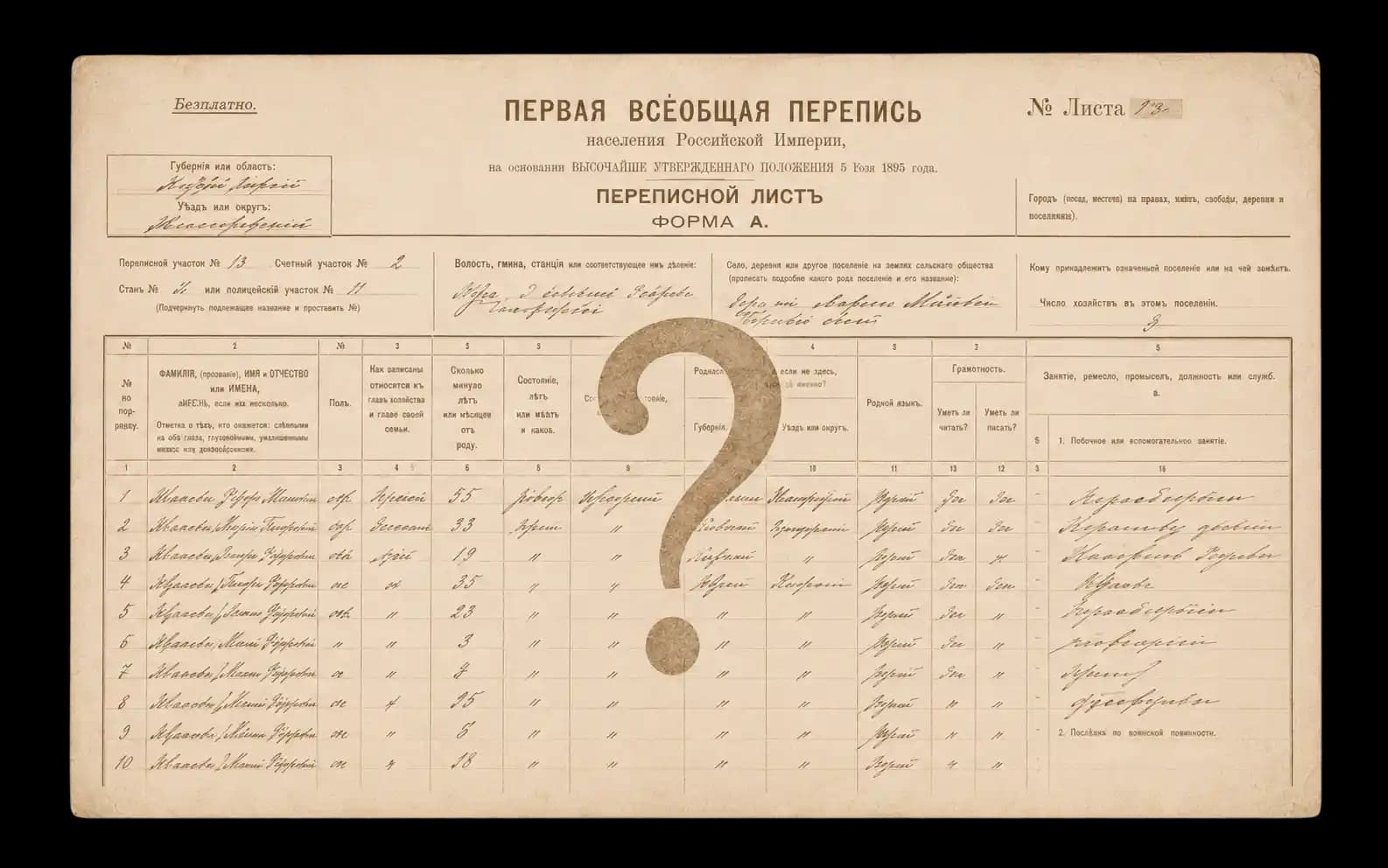
The 1897 Imperial Russian census is one of the most valuable sources for genealogical research. But finding the right person isn't always easy: the archive holds tens of thousands of handwritten sheets, and a family's exact place of residence isn't always known.
Rootera can cut that search time dramatically. Instead of paging through hundreds of archival files, you can:
- check whether a surname appears in the database;
- narrow down the right parish or town;
- jump straight to the original archival document.
This guide walks through how to search as efficiently as possible.
Quick Start
If you're new to Rootera, here's the order we'd recommend:
- Search for a surname.
- Check close matches, not just exact ones.
- Open the interactive demo record.
- View the original archival scan.
- Explore Connection Explorer.
We'll go through each step in more detail below.
Step 1. Run Your First Search
Basic search on Rootera is completely free.
You can search by first name or surname in either Cyrillic or Latin script. If a matching record exists, the search will surface it and automatically score how close the match is using Smart Search (also known as fuzzy search).
The system automatically matches different spellings of the same name. For example:
UlasevichLasevichVlasevichMilasevichLosevich
can all lead to the same document.
Why an Exact Match Isn't Enough
With historical documents, an exact match rarely tells the whole story. There are a couple of reasons for that.
Census takers made mistakes. In the 19th century, surnames were often written down phonetically. The same clerk could spell the same family's name differently from one village to the next.
OCR makes mistakes too. Handwritten documents are hard for automated recognition to parse. Faded ink, unusual handwriting, and damaged paper can all cause letters to be misread.
That's why Smart Search runs automatically here.
How Smart Search Works
After every search, the system shows how closely a record matches your query.
- 85–100% — near-exact match
- 65–84% — minor differences
- 40–64% — significant distortion, historical spelling variants, or OCR errors
- below 40% — low relevance
Tip: If you don't find the right person among the top results, keep scrolling through the other matches. Sometimes a less obvious match turns out to be the right record.
Sound-Alike Search
Smart Search handles typos and OCR errors well — but there's a harder case: the same name could have been transliterated into Latin script completely differently depending on the tradition. For example, the same Hebrew name shows up in different sources as Tzvi, Cvi, or Zwi — the letters don't overlap at all, even though the name sounds the same. It often can't bridge that gap: it compares spelling, not sound.
Turn on the Sound-alike search toggle under the search box (this is what's technically called phonetic search) if you're looking for a name or surname with complex Latin spelling (for example, Tzvi, Rotkowitz, Schwartz). In this mode, the search matches by sound rather than spelling, and can find records with completely different letters.
Important: while Sound-alike search is on, Smart Search is paused — typos and misspellings won't be found in this mode. Use it alongside regular search, not instead of it: try a regular search first, and switch on Sound-alike search only if you don't find the record you're looking for.
What You Can Find in the 1897 Census
The 1897 census is far more than a list of names. For many families, it's the earliest detailed "snapshot" of their line — a chance to see how ancestors lived more than 120 years ago.
Depending on the specific census sheet, you may be able to find:
Household
Who lived under the same roof: parents, children, spouses, relatives, and sometimes servants, laborers, or lodgers. This helps reconstruct family ties and build a family tree.
Age
Each person's age at the time of the census, which lets you estimate a birth year and cross-check it against parish records.
Place of residence
The town, parish, or village where the family lived in 1897.
Place of birth
Often listed separately for each person. It frequently differs from their place of residence and can help trace a family's migration between regions.
Occupation
How a person made a living: farmer, artisan, merchant, clerk, laborer, and many other trades.
Social estate
Peasant, townsperson, nobleman, merchant, or another social estate of the Russian Empire. This helps clarify a family's social standing.
Religion
Orthodox, Catholic, Lutheran, Old Believer, Jewish, and other faiths — a useful clue for tracking down earlier archival records.
Native language
Especially valuable for Latgale, where Russian, Latvian, Polish, German, Yiddish, and other languages were all spoken side by side.
Literacy
The census records whether a person could read and write — a small but telling detail about family life at the end of the 19th century.
Tip: Don't limit your search to a single person. Look at the whole household, neighboring households, and relatives' places of birth — these details often lead to earlier generations of ancestors.
Now that you know what kind of information the census can reveal, let's look at how to quickly find the records you actually need — and how to narrow down results with filters.
Step 2. Narrow Down Your Results
If you're getting too many matches, use the advanced filters available on the Researcher plan.
You can search by:
- first name;
- surname;
- patronymic.
You can also narrow the search to a specific area, such as Dvinsk or Lutzin.
That makes it easy to rule out unrelated people who happen to share a surname in other locations.
Step 3. Learn to Read 1897 Documents
Even after finding the right record, many users run into a new problem — census sheets are hard to read. They're dense with columns, 19th-century abbreviations, and handwriting.
That's why Rootera includes an interactive learning tool.
The Demo Record
The first search result is always a fully unlocked demo record. It shows all the recognized data, so you can see the record's full content and get familiar with the viewer interface.
How the Learning Mode Works
Opening a record shows you the original archival scan, a table of recognized data, and a side panel explaining each column.
As you browse, you can jump between columns, see the matching part of the document highlighted in blue, read explanations, look at examples of pre-revolutionary spelling, and learn the most common clerical abbreviations.
Getting familiar with the interface usually takes just a few minutes — after that, reading census sheets becomes much easier.
Tip: Sheets for men on military service can look a little different — the columns are sometimes laid out in a different order than on the regular sheets. Most of the field names stay the same, though, so you'll still find your way around.
Step 4. Go to the Original Archive
Beyond viewing the recognized record, you can quickly jump to its archival source. Just click the Archive button next to any record.
The window that opens shows the document's archival details:
- archive;
- fund;
- case;
- frame number.
You'll also find a link to Raduraksti.lv — the official portal of the National Archives of Latvia, where digital copies of historical documents are published. From there, you can open the record in the archive (registration required) or download the original scan using the Download original document button.
Helpful tip: Right now, Rootera only shows the town or parish name (support for more precise addresses is planned for future versions). If you need the exact village, street, or house number, open the document on Raduraksti.lv and page back a few frames. The census district's title sheet usually appears just before the individual sheets, and it typically lists the settlement name, street, and house number. This can help you pin down exactly where the family lived and add to what you've already found.
Step 5. Analyze Family Connections
Once you've found the core records, it's time for analysis — that's exactly what Connection Explorer is for. It helps you see the whole picture at once.
What Connection Explorer Shows
Instead of a list of records, you get an interactive connection map. It lets you:
- bring together different spellings of a surname;
- see where a family was spread geographically;
- gauge where most of the matching documents are concentrated.
Search Modes
You can gradually widen the circle of matches:
- Exact — only near-exact matches.
- Similar — the recommended mode.
- Variants — rare historical spellings.
- All Variants — the widest possible search.
Connection Explorer often surfaces records that a regular search can't find at all.
Common Mistakes
Before concluding that someone isn't in the database, try the following:
- search by surname alone;
- try both Cyrillic and Latin spellings;
- check matches in the 40–60% range;
- try an older historical spelling of the surname;
- try Sound-alike search for names with complex Latin transliteration (for example, Tzvi, Schwartz).
Keep in mind: census sheets were filled out by hand over a century ago, and modern recognition technology works from archival scans of varying quality. Small differences in how surnames, names, or other words are spelled are fairly common as a result. The database is refined and corrected on an ongoing basis, so if you can't find a record today, it's worth searching again later.
Searching for ancestors rarely ends with a single query. Sometimes all it takes is tweaking a spelling, checking a near-match, or opening the full document to find the exact record you were after.
We hope this short guide helps you make the most of Rootera's features and find the records you're looking for faster.